Overview
Editable prefixes allow you to change the auto-filled prefix in the billing description.
Custom Prefixes allow you to set your own personal prefixes for fee types, if you require a different prefix to the organisation default.
You can only set custom prefixes for a fee type if your Admin has allowed them.
How it works – Editable prefixes
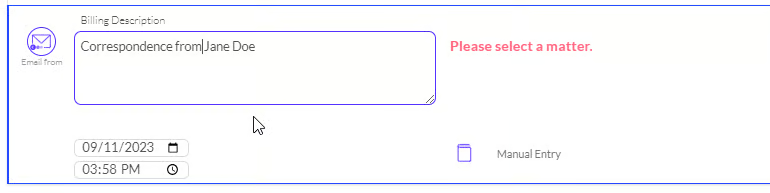
With Prefix, allow edits selected, you can alter or remove the billing description prefix in a time entry by backspacing or typing over it.
e.g. for an Email time entry with the prefix Email from, you can change it to Correspondence from.
How it works – Custom Prefixes
From My Profile > Custom Prefix, choose the fee type you want to customize. Only fee types for which an Admin has allowed edits will be available to select.
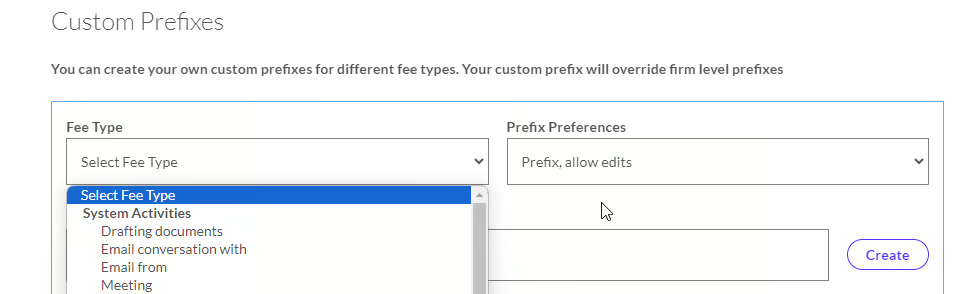
Enter the Prefix you want into the Custom Prefix Description field. If you want to keep the same prefix set by the organisation, copy it into this field.
Select whether you want to the prefix to be editable when completing a time entry in Prefix Preferences.
After setting your preferences, click Create.
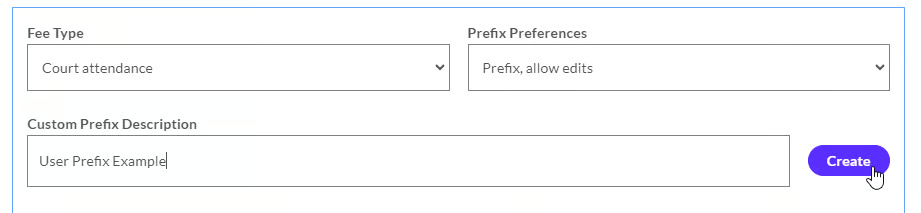
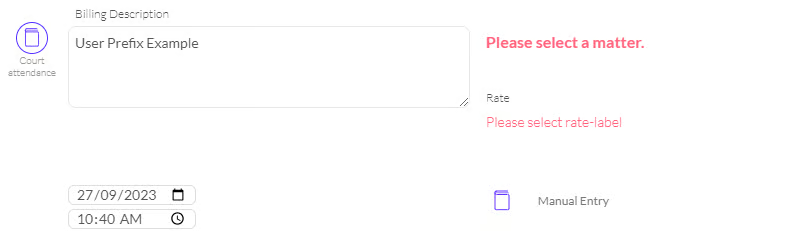
Now, manual time entries will default to the Court Attendance fee type, and my prefix will be ‘User Prefix Example’.
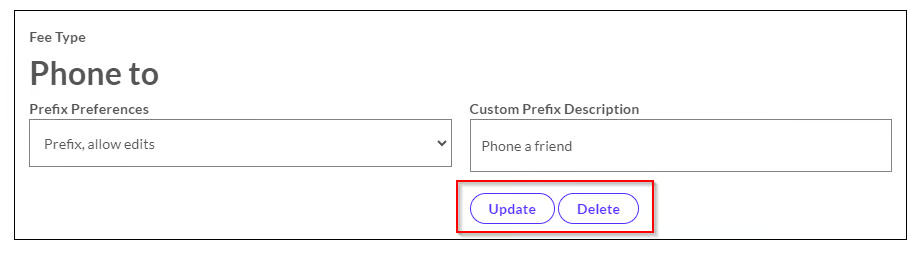
After setting your preferences, you can update or delete them if needed from My Profile > Custom Prefix.