
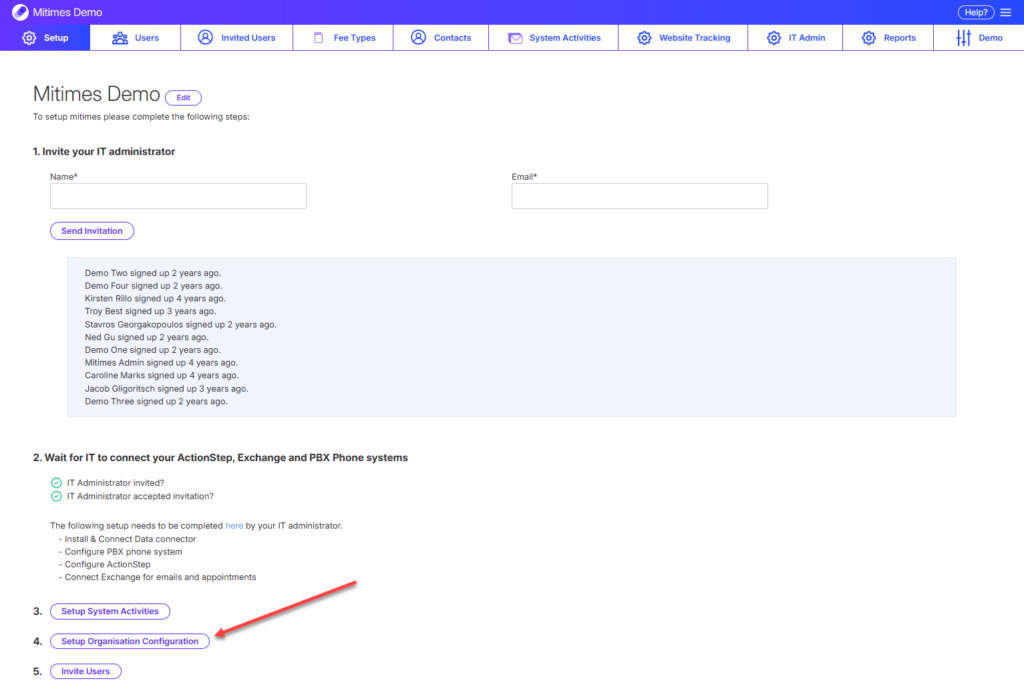
To configure Mitimes for your organisation, go to the menu in the top right > Settings > Setup > Setup Organisation Configuration
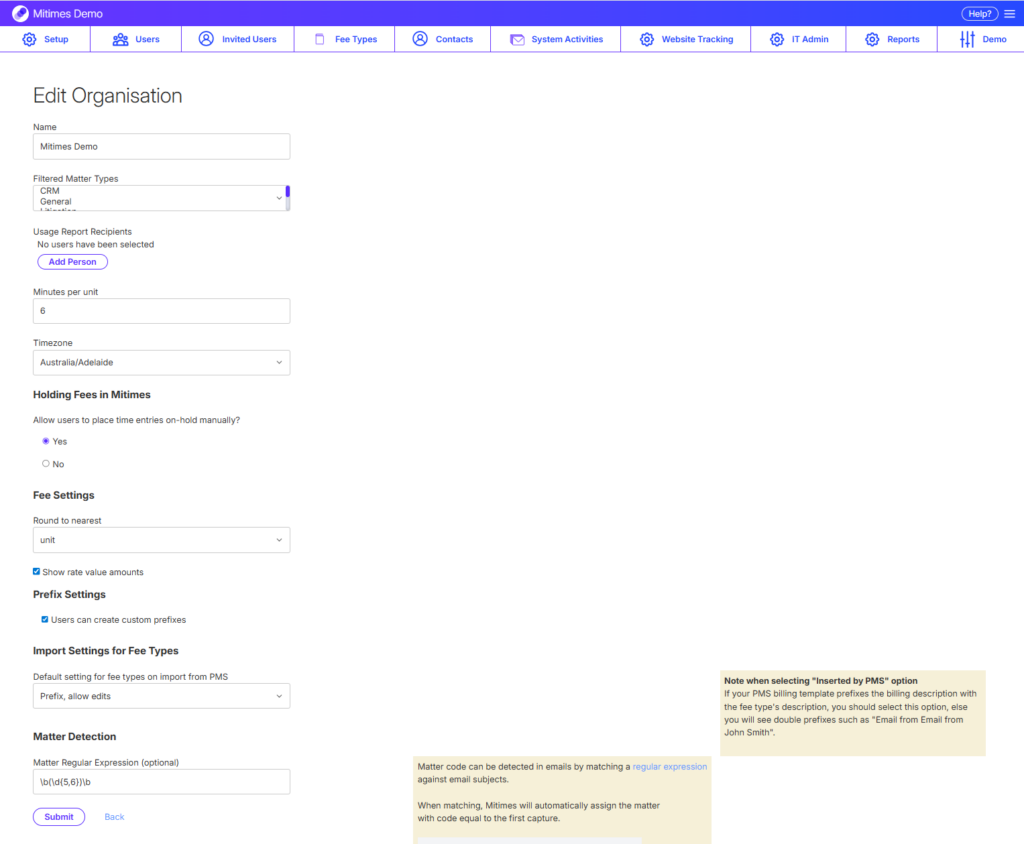
From here, you can:
- Edit the name of your organisation
- Select Matter Types to exclude from appearing in the matter search (only applicable for Actionstep)
- Select recipients for the weekly Usage Report
- Set the number of minutes per unit
- Set your organisation’s timezone
- Select whether you’d like users to have the ability to hold time entries
- Select your preferred rounding method (only applicable for Actionstep)
- Select whether to display rate values in Mitimes (only applicable for Actionstep)
- Select whether to allow users to create Custom Prefixes
- Set the default prefix behaviour for Fee Types
- Set the Regular Expression for email subject matter number detection (optional)