
Merging Time Entries
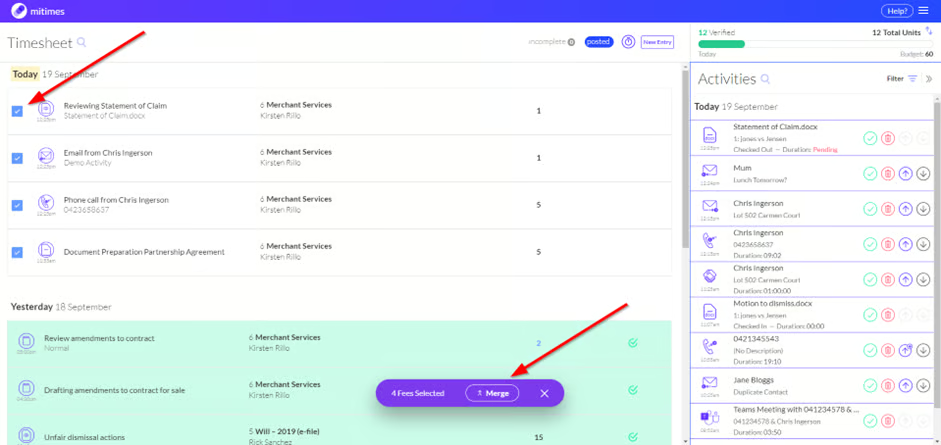
To merge two or more fees, select which fees you’d like to merge using the new checkboxes on the left. A toolbar will appear allowing you to merge the fees.
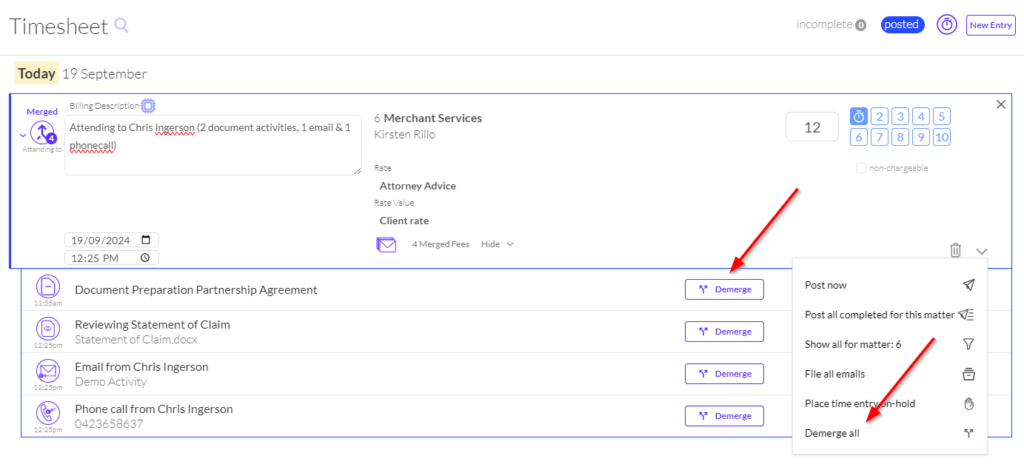
- The billing description for the merged fee will be prefilled with a summary of the fees that were merged. This can be edited as required
- The time allocation will be auto-calculated as the sum of the fees that were merged
- The merged fee will inherit the time and date of the most recent individual fee that was merged
Merged fees can be demerged as needed. You can either demerge individual fees, or demerge all fees using the options shown below.
Charging and Merging Activities
You can also charge and merge activities into a single time entry from your Activity Feed.
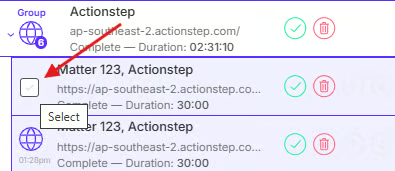
To charge and merge activities, hover on the activities you want to merge and select them using the tickboxes.
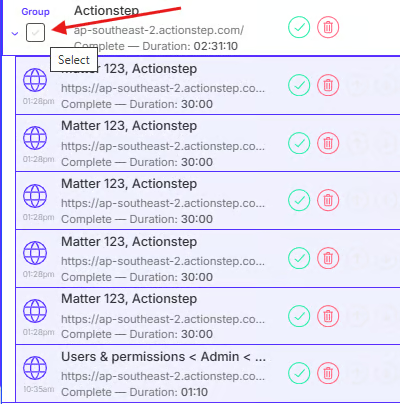
To easily select all activities in a group, hover on the group and click the tickbox.
After selecting the activities you want to merge, a toolbar will appear at the bottom of your timesheet. Click the Charge and Merge button to charge the activities and merge them into a single time entry.